Posts

Showing posts with the label bb10

BlackBerry CEO menegaskan Sedang dalam pembuatan perangkat baru dengan keyboard fisik
Image
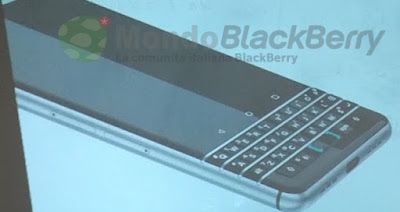
BlackBerry CEO John Chen telah dikonfirmasi dalam sebuah wawancara TV bahwa perusahaannya sedang bekerja pada sebuah smartphone baru yang akan memiliki keyboard fisik. Setelah pada design BlackBerry sebelumnya yakni  DTEK50 dan DTEK60 , QWERTY keyboard fisik telah hilang dari design 2 smartphone tersebut. Mereka di desain Full -touchscreen.
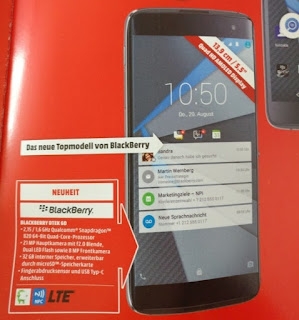
BlackBerry DTEK60 terlihat dalam iklan penjualan

Image
Tanpa pemberitahuan ternyata BlackBerry DTEK60  telah tersedia untuk pre-order di negara Amerika Serikat dan Kanada, hal tersebut diketahui dari iklan yang bocor di Eropa. Iklan yang bocor terlihat dari wilayah terbesar konsumen elektronik Media Markt, iklan itu juga memberitahukan beberapa spec dari Blackberry DTEK60.

BlackBerry melancarkan gugatan pada salah satu vendor ponsel Android

Image
BlackBerry melancarkan gugatan pada salah satu vendor ponsel Android, yakni Blu Product. Blu dianggap melanggar paten perusahaan yang berbasis di Kanada tersebut.

Installing Android Apps On BlackBerry Passport

Image
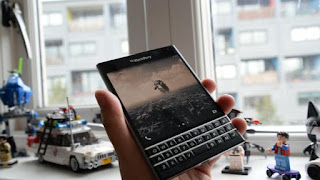
Installing Android Apps On BlackBerry Passport The BlackBerry Passport and BlackBerry 10.3 OS have nothing to do with Google or its Android platform. But thanks to the power of QNX, BlackBerry users can install Android applications directly onto BB10.3-powered units like the BlackBerry Passport (note: older versions of the OS require you to side-load the applications).

BlackBerry Passport Keyboard Hacks

Image
BlackBerry Passport Keyboard Hacks Here’s a selection of useful keyboard shortcuts designed to make typing, editing and working with the Passport’s QWERTY a lot faster and easier:

Everything you need to know about the BlackBerry Priv Android phone

Image
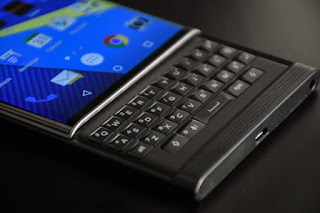
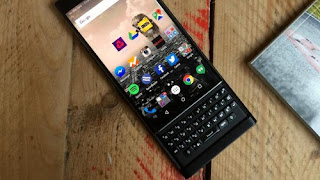
Android fans who still desire a physical keyboard have got something to celebrate, because after months of rumors, BlackBerry released an Android phone. It’s called the Priv, and here’s everything we know so far.

How to Backup and Restore Contacts BB10

If you have a Gmail account. Go to www.google.com/contacts and sign in with your account. Start adding each contact. Now when completed, all your contacts will always be saved there, so when you add a Gmail account to your BlackBerry Device, it'll automatically pull all those contacts. Voila, no need for physical backup. If you have iCloud or Outlook/Hotmail, start doing the same thing there. Once you've added all your contacts, it'll be there for life. If you import account to device, your contacts will sync. Here's the best part, when you add a contact on device, it'll sync to that service where your pulling contacts from.

How to take Screen Capture with Z10

Image
Here i show you the steps to take a screen capture on your Z10 and Q10. push both volume up and volume down at the same time.